Shorts to watch link
Turns a /shorts/ address into a youtube.com/watch link so the clip opens in the standard player with a seek bar and speed controls.
yt short converts YouTube Shorts links into standard watch, share and embed links in one click, so every vertical clip plays with a seek bar, speed controls and the full description on any device.
Paste one or more YouTube Shorts links or video IDs.
A focused online tool for people who watch, save and share YouTube Shorts away from the endless swipe feed.
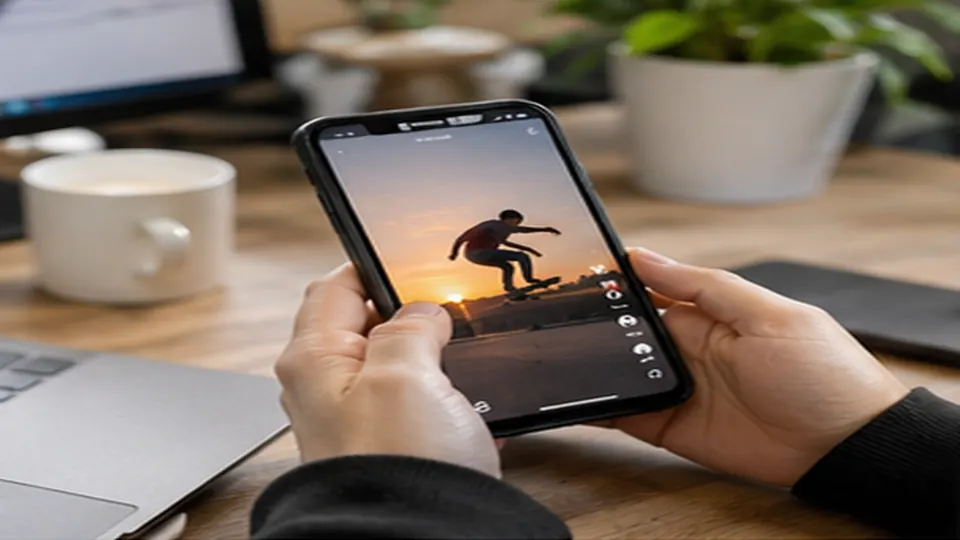
YouTube Shorts opens in a vertical feed built for swiping on phones. That design is great for discovery, yet it can feel limiting when you want to scrub through a clip, slow it down or read the full description on a laptop.
Every Short is a normal YouTube video with an 11-character ID. yt short reads that ID from the link you paste and rebuilds it as a watch link, a short share link and an embed link, without touching the video itself.
Every feature solves a real step between finding a Short and actually using its link.
Turns a /shorts/ address into a youtube.com/watch link so the clip opens in the standard player with a seek bar and speed controls.
Paste up to 100 links in one go. Duplicates are merged automatically and every result keeps its own copy and open buttons.
Builds an embed URL and a ready vertical iframe snippet, with an optional privacy-enhanced youtube-nocookie.com version.
Pulls the exact 11-character video ID out of watch, share, embed, live and mobile links, which helps with notes, playlists and spreadsheets.
All parsing happens locally with JavaScript, so results appear instantly and the page keeps working after it loads, even without a connection.
Press Ctrl + Enter or Cmd + Enter inside the box to convert, use Tab to reach every button and hear results through screen reader announcements.
Four quick steps take you from a Shorts link to a clean, ready-to-use URL.
Copy a Short from the YouTube app or website and paste it into the box. Several links can go on separate lines.
The tool checks each line, finds the 11-character video ID and flags anything it cannot read.
Choose the watch, share, Shorts or embed version that fits what you want to do next.
Copy a result with one tap, or open it in a new tab to watch the clip in the regular player.
Paste any of these inputs and the converter returns the same video in every common format.
| You paste | Example | You get |
|---|---|---|
| Shorts link | youtube.com/shorts/VIDEO_ID | Watch, share, Shorts and embed links |
| Watch link | youtube.com/watch?v=VIDEO_ID | Same set, handy for building a Shorts link |
| Share link | youtu.be/VIDEO_ID | Full watch link and embed code |
| Embed link | youtube.com/embed/VIDEO_ID | Watch link for viewing on YouTube |
| Mobile link | m.youtube.com/shorts/VIDEO_ID | Desktop-friendly watch link |
| Video ID | 11 characters, e.g. aqz-KE-bpKQ | Every link format built from the ID |
Real situations where a converted Shorts link is simply easier to work with.
Open Shorts in the full desktop player with a timeline, so you can pause, rewind or change speed with ease.
Save clean watch links or video IDs in lesson plans, research notes and reading lists.
Place a vertical Short inside a blog post or landing page using the generated iframe code.
Send a short youtu.be link that opens the same video on any phone, tablet or computer.
Practical gains that show up the first time you paste a link.
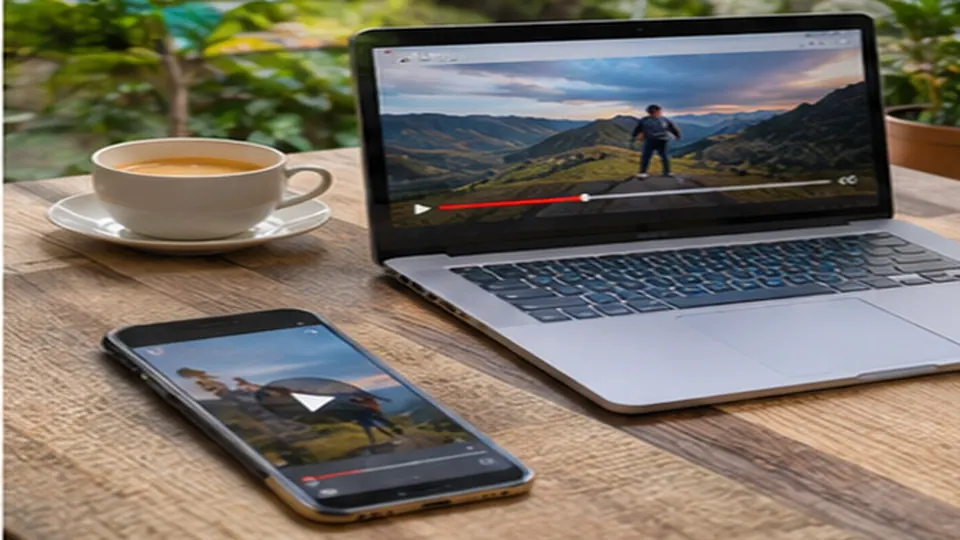
Shorts open in the familiar player instead of the swipe feed, which suits keyboards, mice and TVs.
One paste gives watch, share, Shorts and embed versions, so there is no manual editing of URLs.
Validation catches typos, foreign links and incomplete IDs before you share them.
Bulk mode and Copy all make it quick to clean up long collections of clips.
The converter is built so your links stay with you.
Clear expectations, so the results always match what you need.
Quick answers for the problems people run into most often.
Make sure the whole link was copied. A YouTube video ID always has exactly 11 characters made of letters, numbers, hyphens and underscores.
The uploader may have removed the clip, made it private or limited it by age or region. Conversion only changes the link format, so the same limits still apply.
Some browsers restrict clipboard access on local files or in private windows. Select the result text and copy it with Ctrl + C or a long press instead.
The YouTube mobile app may redirect short clips to its Shorts player. Opening the watch link in a mobile browser or on a computer shows the standard player.
Answers about the converter and about watching YouTube Shorts in general.
It reads a YouTube Shorts link, finds the 11-character video ID inside it and builds matching watch, share, Shorts and embed links. You can copy each link or open it in a new tab.
Yes. The converter has no sign-up, no usage limit per day and no paid tier. Paste a link, press Convert Link and the results appear right away.
Shorts links (youtube.com/shorts/ID), watch links (youtube.com/watch?v=ID), youtu.be share links, embed links, live links, mobile m.youtube.com links and bare 11-character video IDs are all recognised.
Yes. Paste up to 100 links, one per line or separated by spaces or commas. Duplicates are merged and a Copy all watch links button appears when more than one Short is converted.
No. The tool only rewrites links. It does not fetch, save or download any video file, and it does not bypass any YouTube setting.
No. The conversion runs entirely inside your browser with JavaScript. The links you paste are not uploaded or stored by this website.
The line either is not a YouTube address or does not contain a valid 11-character video ID. Check for missing characters, extra text or links from other platforms.
When ticked, embed links use the youtube-nocookie.com domain, which YouTube offers for embeds that limit cookie use until the viewer plays the video.
Yes. Tick Include embed code, copy the iframe snippet and paste it into your page HTML. The snippet uses a vertical 315 by 560 frame that suits Shorts.
The converter works in modern mobile and desktop browsers. Once the page has loaded, conversion needs no internet connection, although opening the converted links naturally requires one.
Yes. Shorts are free to watch on YouTube with ads. A YouTube Premium membership removes most ads but is not required to watch Shorts.
Shorts uploaded from 15 October 2024 onward can run up to three minutes. Before that change the limit was 60 seconds.
The standard watch page gives you a regular player with a seek bar, playback speed menu, theatre mode and the full description, which many viewers find easier on a computer.
Shorts are part of the main YouTube app and the YouTube website. There is no separate official app needed, so be careful with unofficial apps that claim otherwise.
Open the channel page on YouTube and choose the Shorts tab. It lists the vertical videos that channel has published, separate from its long-form uploads.
Yes. Visit youtube.com/shorts in a desktop browser, or open any Short link. You can also convert the link here to watch it in the regular desktop player.
Both focus on vertical short video, but they are different services from different companies. Shorts lives inside YouTube and connects to channels, subscriptions and long-form videos.
The video may be private, removed, age-restricted or blocked in your region. Converting a link cannot change those settings, which are controlled by YouTube and the uploader.
Most Shorts are vertical 9:16 videos made for phone screens. YouTube also treats square videos within the length limit as Shorts.
Yes. Any Shorts link works in a browser. Sending the converted watch link gives them the standard player, which is often more comfortable on a large screen.